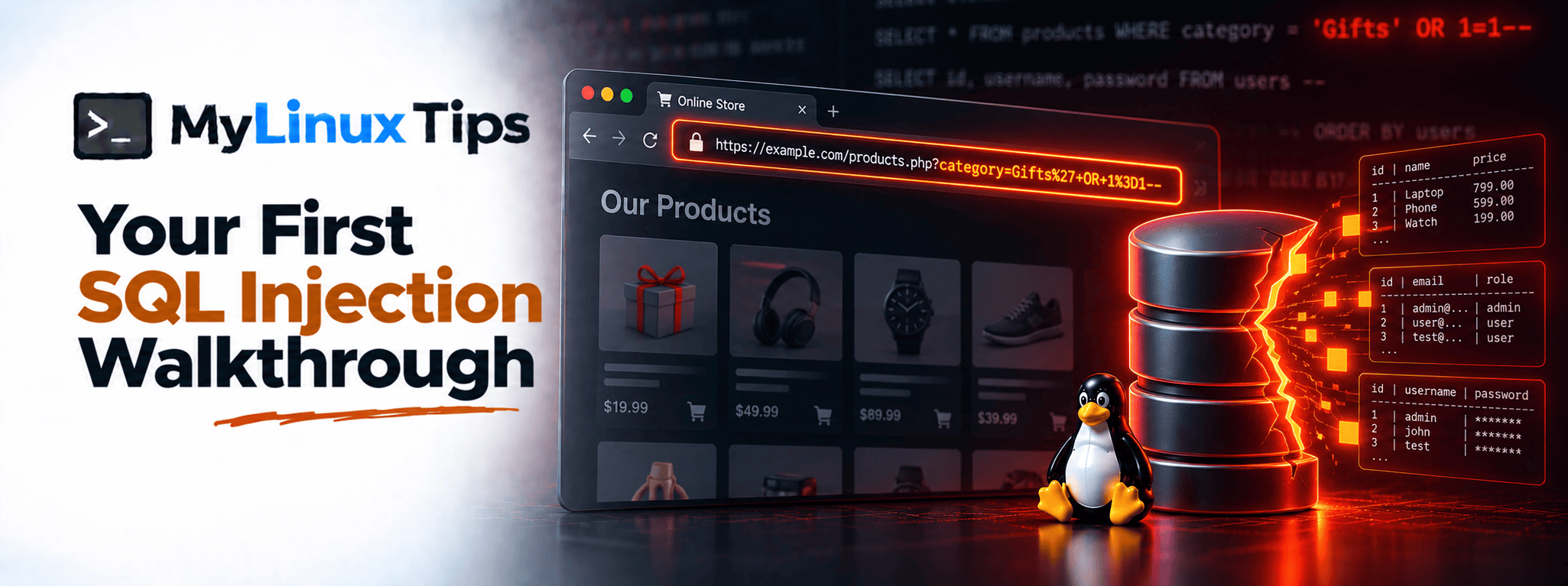
Ever wanted to actually trigger a SQL injection yourself instead of just reading about one? Your first sql injection walkthrough doesn’t need a real target, a VPN, or any legal gray area at all. PortSwigger’s free Web Security Academy was built exactly for this. This post walks through the actual lab, step by step, plus the fix a real developer would ship afterward.
Quick answer: Your first sql injection walkthrough is best done on PortSwigger’s Web Security Academy, specifically its free “SQL injection vulnerability in WHERE clause allowing retrieval of hidden data” lab. It takes a login-style input, breaks the intended query with a crafted value, and reveals hidden data the application was never meant to return.
94% of applications tested in the data behind the OWASP Top 10’s Injection category showed some form of injection weakness, the same broad family SQL injection belongs to. That’s why triggering one yourself, safely and legally, is worth the twenty minutes this lab takes.
Your First SQL Injection Walkthrough, at a Glance
| Step | What You Do | What It Proves |
|---|---|---|
| 1. Find the input | Watch the URL parameter behind a product category page. | The app trusts a value it never validates. |
| 2. Break the query | Replace it with Gifts' OR 1=1--. | User input was never separated from SQL structure. |
| 3. Confirm it worked | Watch every product from every category appear at once. | Hidden data came back from a single broken input. |
Setting up: it’s free, and it takes two minutes
PortSwigger’s Web Security Academy is free, requires only an email signup, and resets your lab environment any time you need a fresh start. That combination (zero cost, fully legal, fully disposable) is exactly why it’s the right place for your first sql injection walkthrough, rather than anything resembling a real, unauthorized target.
Quick tip
Bookmark the Academy’s own learning path pages alongside the specific lab you’re working through. The written theory behind each category pairs well with actually doing the lab hands-on, rather than replacing it.
The lab scenario, in plain English
This particular lab presents a simple product category page. Pick a category, and the URL updates with a parameter identifying which one, the kind of thing that looks completely harmless at first glance. Behind the scenes, that parameter gets dropped straight into a SQL query to decide which products to display, with nothing checking or escaping it first.
Sound familiar? It’s the exact pattern from the Reading PHP Code Like a Bug Hunter post earlier in this series: user input flowing straight into a query, except now you’re triggering it yourself instead of just spotting it in source.
Step 1: finding the input worth testing
Start by picking any category and watching the URL. It’ll contain something like category=Gifts. That’s your target, a value the application trusts completely, with no visible validation happening on the way in.
Step 2: breaking the query on purpose
Here’s where the actual injection happens. Changing that value to something like:
category=Gifts' OR 1=1--breaks the query’s intended logic. The underlying SQL was built to check WHERE category = 'Gifts', filtering down to just that one category. Adding ' OR 1=1-- closes the quote early, adds a condition that’s always true, and comments out whatever the original query expected afterward. So instead of filtering to one category, the database happily returns every product in the entire catalog.
Bottom line: the database never knows the difference between your data and your instructions unless the query forces it to.
Quick trick
Keep a short mental checklist for this exact pattern: close the quote, add an always-true condition, comment out the rest. That three-step shape covers a huge share of classic SQL injection scenarios, not just this one lab.
Step 3: confirming it actually worked
Confirmation here is simple and visual: the page that normally shows a handful of products in one category suddenly shows every product the application has, across every category at once. That’s hidden data, the entire catalog instead of just the filtered slice the application intended to reveal, coming back from a single broken input.
Bottom line: one unvalidated parameter was the only thing standing between the intended view and the whole database.
The fix a real developer would ship
Per this site’s ground rules, no walkthrough is complete without the fix. The actual vulnerability here is building a SQL query by directly concatenating user input into a string. The fix is parameterized queries: sending the user’s input as data, completely separate from the query’s structure, so the database can never confuse “a value to filter by” with “a new instruction to execute.”
In PHP terms, from the earlier post in this pillar, that means prepared statements instead of raw string concatenation. The underlying lesson is identical whether the backend is PHP, Python, or anything else: never let user input become part of a query’s actual structure.
Why this matters beyond one lab
This single lab demonstrates the exact mechanism behind one of the most common web vulnerability categories, the exact danger pattern from reading PHP source code, and the exact reason parameterized queries exist at all. Seeing it actually happen, in a safe and legal environment, cements all three in a way reading about them never quite does.
5 Tips for Testing SQL Injection Safely and Legally
- Only ever test against explicitly authorized targets. PortSwigger’s Academy, a bug bounty program’s in-scope assets, or your own self-hosted vulnerable app. Never anything else.
- Learn the three-step shape, not just this one payload. Close the quote, add an always-true condition, comment out the rest. Most classic SQL injection scenarios follow that same pattern.
- Watch for error messages during legitimate testing. A database error after an unexpected character is often the very first sign an input isn’t being sanitized.
- Practice reading the fix, not just triggering the bug. Understanding why parameterized queries work makes the next vulnerability easier to both find and explain in a report.
- Keep working through PortSwigger’s further SQL injection labs. Each one introduces a slightly different variation, which builds pattern recognition far faster than repeating this exact lab.
Frequently Asked Questions
Still have questions? Here’s what comes up most after running this lab for the first time.
Is it legal to practice SQL injection on PortSwigger Academy?
Yes. It’s an explicitly authorized, purpose-built learning environment, free to use, with no legal gray area involved.
Do I need any paid tools to complete this lab?
No. The free Academy account and a browser are enough; Burp Suite’s free Community edition can help but isn’t required for this specific lab.
Why does ‘ OR 1=1– work as a payload?
It closes the intended string early, adds a condition that’s always true, and comments out the rest of the original query, turning a filtered query into one that returns everything.
What should I practice after this lab?
PortSwigger’s Academy has dozens of further SQL injection labs building on this exact idea, plus entirely separate categories like XSS and access control worth exploring next.
Your First SQL Injection Walkthrough: From Reading About It to Triggering It Yourself
That’s your first sql injection walkthrough, start to finish: a harmless-looking parameter, a broken query, and a fix that would have stopped the whole thing. Every post in this series up to this point has been building toward exactly this moment, seeing the pattern, not just reading about it. From here, the same instincts apply to every other lab, and eventually, every other target you’re ever authorized to test.
If turning this kind of lab result into your first real bug bounty submission feels like the harder part, that’s exactly the kind of bug bounty mentoring mylinuxtips.com is built around. Reach out through the site’s contact page if structured help with your first few reports would speed things up.