Ever found a cross-site scripting bug that never once touched the server? Dom-based xss explained simply comes down to one idea: the vulnerability lives entirely in the browser’s own JavaScript, which means it can slip past server-side defenses completely. This post shows exactly where that gap opens up, and how to spot it.
Quick answer: Dom-based xss happens when JavaScript already running in the browser takes untrusted input, often straight from the URL, and writes it into the page unsafely, without ever sending that input to the server first. Because the server never sees it, server-side filtering and logging can’t catch it.
Zero. That’s how many server logs typically capture a DOM-based XSS attack, because the entire exploit happens inside the browser’s own JavaScript, not in a request the server ever sees.
Dom-Based XSS Explained, at a Glance
| Role | What It Means | Common Example |
|---|---|---|
| Source | Where untrusted data enters the page | window.location.hash |
| Sink | Where that data gets written unsafely | innerHTML |
| The gap | Nothing sanitizes the data in between | Source feeds sink directly |
Quick recap: how this differs from “normal” XSS
Reflected and stored XSS both involve the server at some point. Malicious input gets sent to the server, and the server reflects or stores it back into a page. Dom-based xss skips that step entirely. The entire attack happens inside the browser’s own JavaScript, using data the page never actually sends anywhere.
That distinction matters enormously for hunting. Server logs, server-side input filtering, even a web application firewall: none of it sees a DOM-based attack happening. The dangerous data never reaches the server in the first place.
Where untrusted data enters: the “source”
In DOM-based XSS, a “source” is anywhere JavaScript can read attacker-influenced data directly from the browser itself. The most common one by far is the URL:
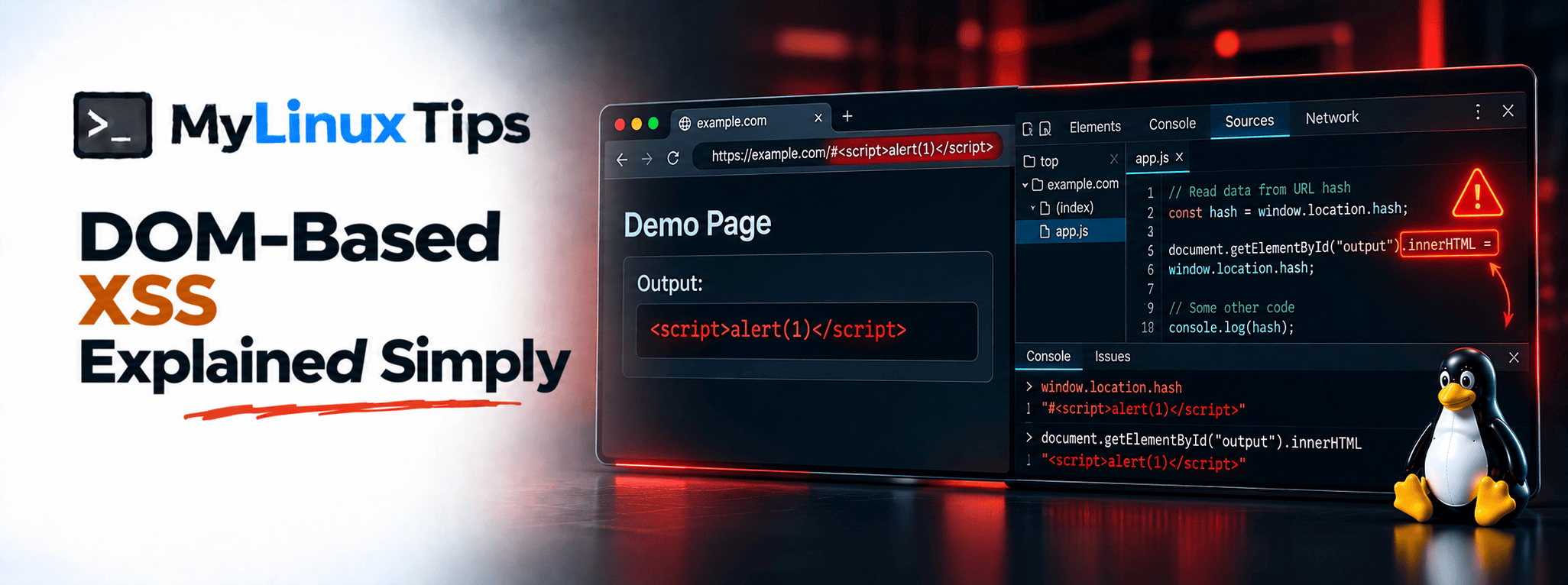
console.log(window.location.hash);A link like https://example.com/page#<script>alert(1)</script> puts that entire payload straight into window.location.hash, fully readable by any JavaScript running on the page. The server never sees any of it, since everything after the # never gets sent in the request at all.
Quick tip
Get comfortable with window.location, document.referrer, and document.URL as sources. Recognizing these three on sight covers a large share of real DOM-based findings.
Bottom line: if JavaScript can read it from the browser itself, treat it as untrusted.
Where it becomes dangerous: the “sink”
A “sink” is wherever that untrusted data actually gets written into the page in a way the browser will execute. The classic dangerous sink is innerHTML:
document.getElementById("output").innerHTML = window.location.hash;Put a source and a dangerous sink together with nothing sanitizing the data in between. That’s dom-based xss explained in two lines of real code. Whatever sits after the # in the URL gets written straight into the page’s HTML, and the browser happily renders it, scripts included.
Quick trick
Search a page’s JavaScript for innerHTML, document.write, and eval first. These three sinks account for a disproportionate share of real DOM-based XSS findings.
Bottom line: a source without a sink is harmless. A sink without sanitization is where it turns into a real bug.
Why DevTools is your main tool here
Since none of this touches the server, your browser’s own DevTools becomes the primary place to actually find and confirm it. Open the Sources panel, search the loaded JavaScript for sinks like innerHTML, and trace backward to see what feeds them, the same backward-tracing habit covered in the earlier PHP reading post, just applied to a different language.
OWASP’s own DOM-based XSS prevention guidance covers the escaping and sanitization rules in full depth, worth bookmarking once you start finding these for real.
Where Dom-Based XSS Keeps Showing Up
The source-and-sink pattern repeats across a handful of everyday features, once you know to look for it:
| Feature | Where the Gap Usually Hides |
|---|---|
| Client-side search boxes | Echoing a URL parameter back into the results page without escaping it |
| Single-page app routers | Reading a hash or query value to decide what to render, then writing it straight into the DOM |
postMessage handlers | Trusting data from another window without checking the origin first |
| Legacy widgets | An old document.write call nobody’s touched since it was written |
5 Tips for Finding Dom-Based XSS Like a Bug Hunter
Ready to start hunting for this pattern yourself? These five habits make it fast.
- Grep the JavaScript for sinks before reading anything else. Searching for
innerHTML,document.write,eval, andouterHTMLacross a page’s scripts finds the dangerous spots in seconds instead of hours. - Use the browser’s own search, not just your eyes. DevTools’ Sources panel supports a full-text search across every loaded script, which beats scrolling through minified code manually.
- Test with a harmless marker first. Put a unique string like
domxsstest123into a suspected source and search for it in the rendered DOM. If it shows up unescaped, a real payload probably will too. - Don’t stop at the URL.
document.referrer,postMessagedata, and evenlocalStoragevalues can all act as sources, not justwindow.location. - Check single-page apps extra carefully. Client-side routers read and write URL data constantly, which makes modern JavaScript frameworks a disproportionately common place to find this exact pattern.
Frequently Asked Questions
Still have questions? Here’s what comes up most when people first learn this.
Is DOM-based XSS more dangerous than reflected XSS?
Not inherently more dangerous, just harder to catch with traditional server-side defenses, since the entire attack stays client-side.
Does the server log DOM-based XSS attempts?
Usually not, because the malicious data often never gets sent to the server as part of the request at all.
What’s the fastest way to find DOM-based XSS as a beginner?
Search a page’s JavaScript for dangerous sinks like innerHTML, then trace backward to see whether any untrusted source feeds into it.
Is innerHTML always unsafe to use?
No, it’s unsafe specifically when it’s set using untrusted, unsanitized data, not simply by existing in code.
What’s a safer alternative to innerHTML for untrusted data?
textContent writes data as plain text instead of parsing it as HTML, which prevents the browser from ever executing an injected script in the first place.
Dom-Based XSS Explained: From an Invisible Bug to a Findable Pattern
That’s dom-based xss explained without the dictionary definition: a source the browser can read, a sink that writes it unsafely, and nothing in between to stop it. It’s a quieter category of bug than its server-side cousins, but once you know to search for sources and sinks specifically, it stops being invisible.
If you’re working through client-side bugs like this one and want a second pair of eyes on your first few reports, that’s exactly the kind of bug bounty mentoring mylinuxtips.com is building toward. Reach out through the site’s contact page if structured feedback on your findings would help.