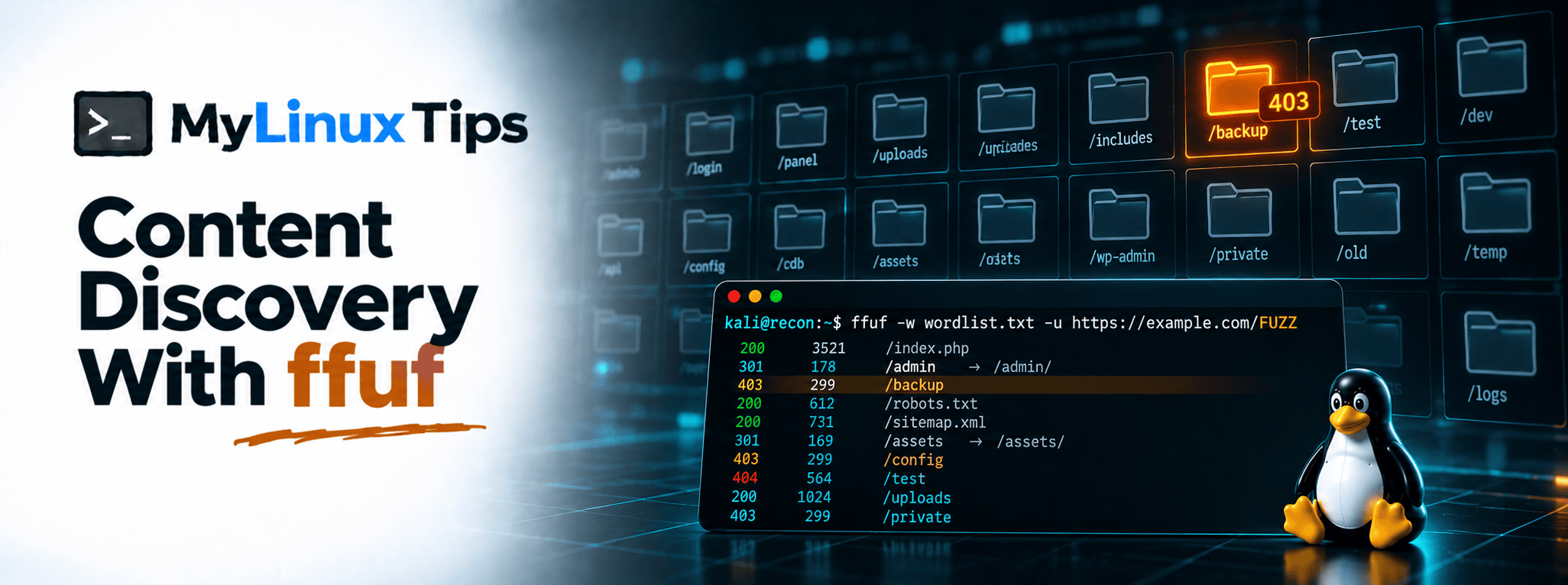
Ever looked at a website and wondered what’s sitting on it that isn’t linked from anywhere you can click? Content discovery with ffuf answers exactly that question. Hidden admin panels, old backup files, forgotten API routes, all the pages a site serves without ever pointing to them. This post walks through your first real scan.
Quick answer: Content discovery with ffuf works by sending a wordlist of common folder and file names at a target URL, one guess at a time. It reports back anything that actually responds, which makes it one of the fastest ways to find pages a target never intended to advertise.
A forgotten
/backupfolder or an old admin panel nobody removed is still one of the most reliable security misconfiguration findings in bug bounty today. Content discovery is how you find it on purpose instead of by accident.
Content Discovery With ffuf, at a Glance
| Status Code | What It Usually Means |
|---|---|
| 200 | The page exists and loaded normally. |
| 403 | It exists, but you’re not allowed to view it. Often worth a manual look. |
| 301 / 302 | A redirect. Worth following manually to see where it actually leads. |
| 404 | Nothing there, at least not under that exact name. |
What content discovery actually finds
A website’s navigation menu only shows a small fraction of what actually exists on the server. Old admin panels, backup files left over from a deploy, internal API routes, and test pages nobody removed are rarely linked anywhere a normal visitor would click. Content discovery is the practice of systematically guessing at paths that might exist, instead of waiting to stumble onto them by accident.
Quick tip
Always run content discovery against targets you’re explicitly authorized to test, and keep request rates reasonable. A flood of requests can look indistinguishable from an attack to the system on the other end.
Running your first ffuf scan
ffuf takes a wordlist (a file full of common folder and file names) and tries each one against a target URL:
ffuf -w wordlist.txt -u https://example.com/FUZZThe FUZZ keyword marks exactly where each wordlist entry gets substituted in. Run it, and ffuf works through the list quickly, reporting back which guesses actually returned something.
Bottom line: one wordlist and one command turns a blank guess into a real list of paths worth checking.
Quick trick
Start with a smaller, well-curated wordlist before reaching for a massive one. A focused list of a few thousand common names often finds just as much as a bloated one, in a fraction of the time.
Reading the results: status codes tell the real story
ffuf‘s output is full of status codes, and learning to read them quickly is half the skill. A 200 usually means the page exists and loaded normally. A 403 often means it exists but you’re not allowed to view it, which is sometimes more interesting than a plain 200. A 301 or 302 means a redirect, worth following manually to see where it actually leads.
Bottom line: the status code is the first clue, not the final answer.
Quick tip
Don’t automatically dismiss every 403. A forbidden folder that clearly exists, like /admin or /backup, is frequently worth a manual look, the kind of follow-up where a tool like Burp Suite earns its keep.
Filtering out the noise
Some servers respond to every request with a 200, no matter what you fuzz for, which can bury real findings in meaningless noise. ffuf has flags to filter this out:
ffuf -w wordlist.txt -u https://example.com/FUZZ -fc 200 -fs 1234This filters out a specific status code or response size, once you’ve identified the pattern a false-positive “everything exists” response shares. A few minutes spent tuning filters usually pays for itself many times over across the rest of the scan.
Bottom line: an untuned scan buries real findings in noise, no matter how good the wordlist is.
5 Tips for Content Discovery Like a Bug Hunter
Ready to put this into practice? Start here.
- Start with a curated wordlist, not the biggest one you can find. A focused few thousand entries often surfaces the same real findings as a bloated 500,000-line list, in a fraction of the time.
- Treat every 403 as a lead, not a dead end. A folder the server refuses to show you is a folder that exists, and that alone is worth a closer manual look.
- Tune your filters before trusting your results. A server that answers every guess with the same fake 200 will bury real findings unless you filter that response out first.
- Check for common backup and config file extensions specifically. Names like
.bak,.old,.env, and.zipappended to real filenames catch leftover files a developer forgot to clean up. - Run content discovery after subdomain enumeration, not before. Scanning a confirmed live subdomain wastes far less time than fuzzing every name in a raw, unverified list.
Frequently Asked Questions
Still have questions? Here’s what comes up most when people first learn this.
Is ffuf only for finding directories?
No, it can fuzz parameters, subdomains, and headers too. Directory and file discovery is just the most common beginner use case.
What wordlist should a beginner start with?
A smaller, well-known list like SecLists’ common.txt is a solid starting point before moving to larger, more exhaustive wordlists.
Why does ffuf return so many false 200 responses sometimes?
Some servers respond to any request with a generic page instead of a real 404, and ffuf’s filtering flags exist specifically to strip that noise out.
Should I run ffuf before or after subdomain enumeration?
After. Running it against a confirmed live subdomain, rather than every name in a raw list, saves significant time and avoids wasted scans.
Content Discovery With ffuf: From Hidden Folders to a Real Target List
That’s content discovery with ffuf, distilled into a workflow instead of a single command: scan with a focused wordlist, read the status codes carefully, and filter the noise before trusting the results. Combined with the subdomain list from the last post, you now have a genuinely useful recon toolkit, built entirely from tools that cost nothing to run.
If you want help turning scans like this into your first real bug bounty submission instead of figuring out the whole process alone, that’s exactly the kind of mentoring mylinuxtips.com offers. Reach out through the site’s contact page if a second pair of eyes on your recon workflow would help.